

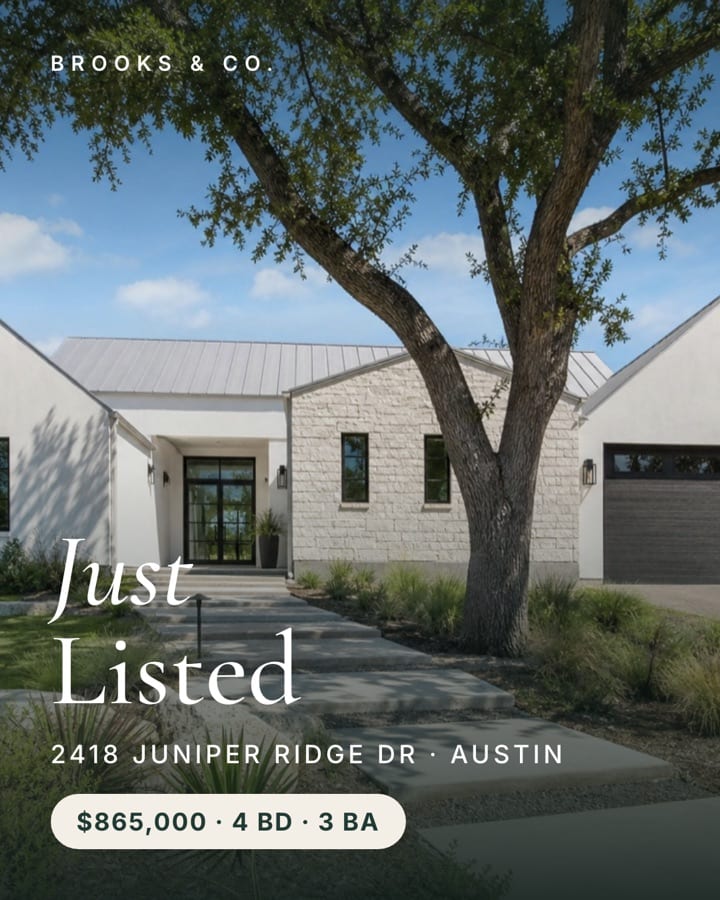
MondayJust Listed
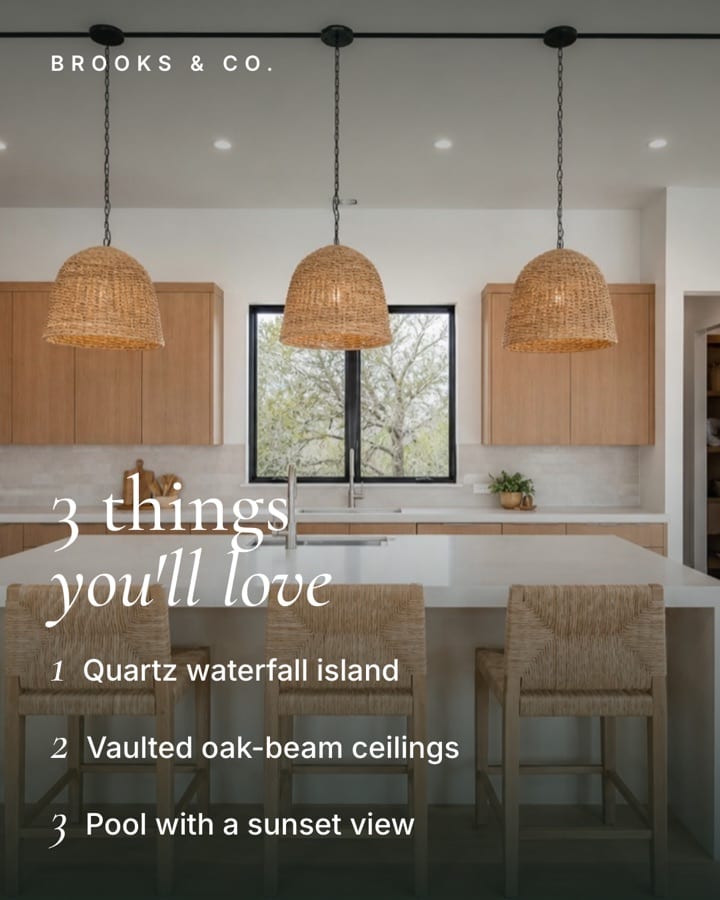
TuesdayTop 3 Features
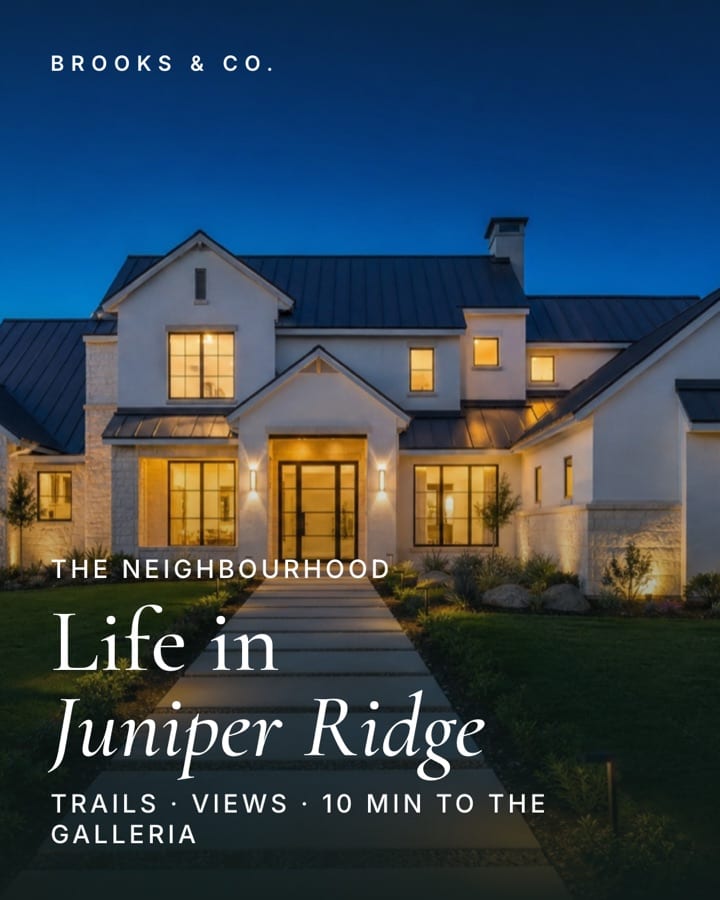
WednesdayThe Neighborhood
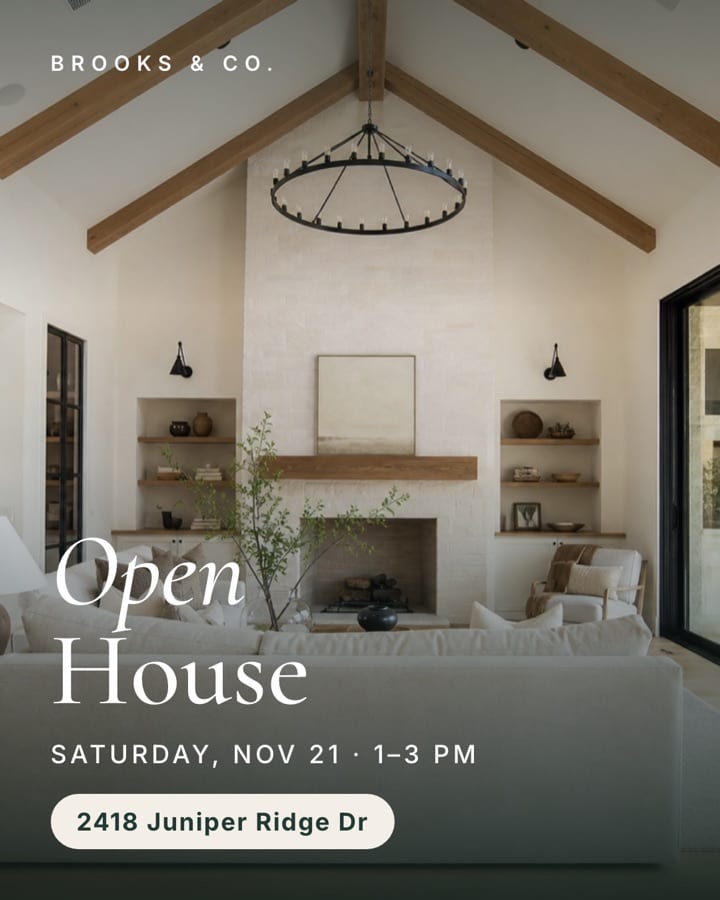
ThursdayOpen House
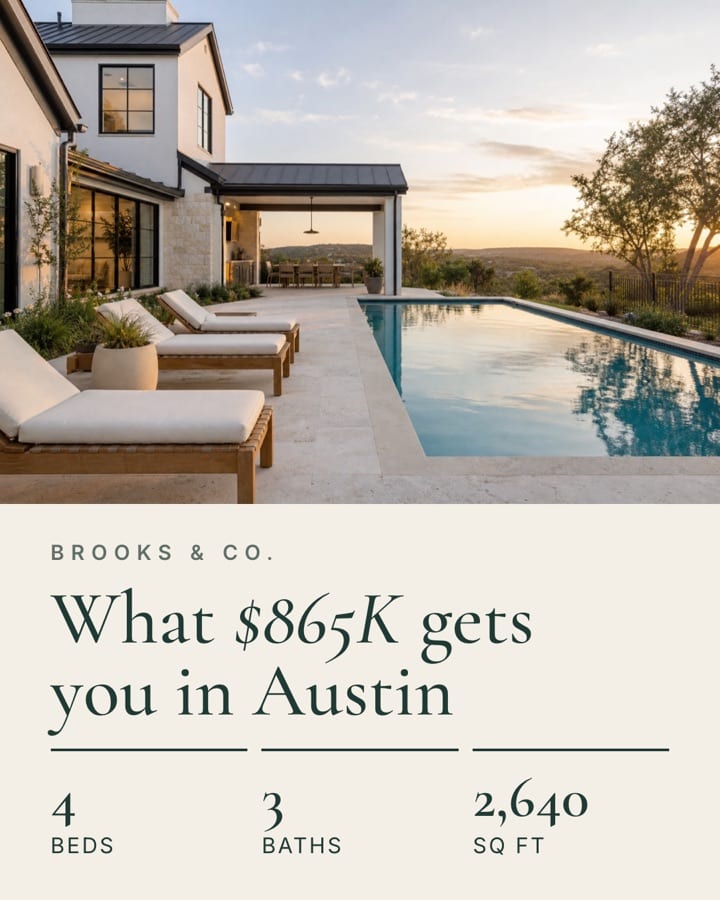
FridayPrice Breakdown
This is the exact setup from the reel. You set it up once, and after that every new listing takes one prompt: Claude reads the listing, writes the captions and builds the five designs in your own Canva account.
What you need
- A Claude account at claude.ai, with access to Projects and connectors.
- A Canva account with your brand kit saved, and your Instagram linked inside Canva so you can schedule from its Content Planner. Check that your Canva plan includes scheduling.
- Your website address, so Claude can learn your voice and style from it.
- For each listing: the listing link and 5 to 10 photos.
Set it up
1.Create the project
A project remembers your brand, so you only set this up once.
- In Claude, open Projects in the left sidebar and click New project.
- Name it Listing Launch.
- Open the project’s Instructions and paste the text below.
- Replace the website address with your own.
My website: [YOUR WEBSITE ADDRESS]

Learn my brand from it: my voice, my colors, my fonts and the hashtags I use. Sound like me in everything you write.

Every new listing gets a 5-post Instagram week:
Monday: Just Listed
Tuesday: Top 3 Features
Wednesday: The Neighborhood
Thursday: Open House Invite
Friday: Price Breakdown

Describe only what is visible in the photos and follow Fair Housing rules. Design every post in Canva in my brand style.
2.Connect Canva
The Canva connector lets Claude create the designs inside your own Canva account.
- In the chat box, open the connectors menu and choose Browse connectors.
- Find Canva and click Connect.
- Sign in to Canva and approve the access request.
- Back in Claude, make sure the Canva switch is on for your Listing Launch project.
Note. Claude does not post to Instagram itself. It builds the designs in Canva, and you schedule them from Canva.
3.Run the launch prompt
For every new listing, start a new chat inside the project, attach the listing photos and paste this prompt.
New listing: [PASTE YOUR LISTING LINK]

Build my Listing Launch week.
Claude reads the listing for the price, beds, baths and open house time, picks the best photo for each day and writes every caption. Then it creates the five designs in a Canva folder.
To change anything, reply in plain words. For example: “Make Tuesday’s caption shorter” or “Use the pool photo for Friday.”
Note. Some listing sites block Claude from opening their pages. If that happens, paste the details into the chat instead: address, price, beds, baths, square footage and open house time.
Your five-day week
Each day has one job, so the listing stays in front of buyers all week without repeating itself.
| Day | Post | Best photo | What the caption does |
|---|---|---|---|
| Monday | Post: Just Listed | Best photo: Front exterior | What the caption does: Announces the home with price, beds, baths and the open house time |
| Tuesday | Post: Top 3 Features | Best photo: Kitchen or the standout room | What the caption does: Names three things visible in the photos and asks which is the favorite |
| Wednesday | Post: The Neighborhood | Best photo: Twilight or street view | What the caption does: Describes what is nearby: trails, shops, commute |
| Thursday | Post: Open House Invite | Best photo: Living room | What the caption does: Gives the day, time and address, and invites people in |
| Friday | Post: Price Breakdown | Best photo: Pool, yard or view | What the caption does: Shows what the price buys, with price per square foot |
Before you schedule
Claude drafts fast, but your name is on the post. Take two minutes to check each one.
- Price, beds, baths and square footage match the MLS.
- The open house day and time are right.
- Every feature in the caption is really in the home.
- Nothing describes who should live there. Fair Housing applies to captions too.
- Your brokerage name and license details appear wherever your state requires them.
- Each design uses the right photo and your logo.
Then open Canva’s Content Planner, drop each design on its day and schedule all five to Instagram.
If something goes wrong
| Problem | Fix |
|---|---|
| Claude cannot open your listing link | Paste the address, price, beds, baths, square footage and open house time into the chat instead |
| The captions do not sound like you | Add ten or so of your own past captions to the project’s Files and ask Claude to match them |
| Claude describes something that is not in the home | Reply “Only describe what is visible in the photos” and ask it to redo that caption |
| The designs do not match your brand | Confirm your brand kit is saved in Canva, then ask Claude to rebuild the designs using it |
| Canva is missing from the connectors menu | Open Browse connectors, search for Canva and connect it again |
| The scheduled post will not publish | Reconnect your Instagram account inside Canva. It must be a professional account |
Add a listing video, without filming one
Five posts cover the week. To put your face on the listing too, add a video. Fotello, which is the tool we make, turns a short recording of you into a branded listing showcase, and the same recording works for market updates and personal brand videos.
Post it on Monday beside your Just Listed design, and your launch week opens with a video and a post. Our guide to making your first listing video walks through it.
Follow @fotello.co on Instagram for the next Claude tutorial.